

How to Make AI Music: From Prompt to Finished Song
To make AI music, define the sound, shape the lyrics, generate the song, direct the vocals, extend the strongest draft, split useful stems, and export the right file. A repeatable review process turns fast AI output into a coherent song.
TL;DR: The Complete Prompt-to-Export Workflow
Prompt
Input: a musical idea. Output: a brief covering genre, mood, tempo, instruments, voice, structure, and purpose. Pass: another person can imagine the track before hearing it.
Lyrics
Input: theme and point of view. Output: labeled verses, chorus, and optional bridge. Pass: the chorus states one memorable idea and every line is comfortable to sing.
Song
Input: prompt or finished lyrics. Output: melody, arrangement, vocals, and mix. Pass: the chorus, groove, and instrumentation all support the original brief.
Vocals
Input: the best song draft. Output: understandable, emotionally consistent vocals. Pass: key words are clear, syllables fit, and repeated choruses sound like the same singer.
Extend
Input: a strong but short or abrupt track. Output: a new verse, bridge, break, chorus, or outro. Pass: the join preserves tempo, key, vocal tone, and loudness.
Stems
Input: the final mix in the cleanest available format. Output: vocals plus instrumental, or multiple production stems. Pass: previewed tracks have acceptable bleed and no distracting artifacts.
Export
Input: an approved full mix or stems. Output: MP3 for lightweight delivery or WAV for editing and archiving. Pass: the file plays correctly and its license fits the destination.
Step 1: Write a Prompt That Gives Musical Direction
A weak prompt only names a genre. A useful prompt works like a compact creative brief: it tells the model what the track should sound like, how it should feel, and what job it must do. For a guided walkthrough, style ideas, and copy-ready examples, open MemoTune's AI Music Prompt Guide.
Genre + mood + tempo or energy + instruments + vocal delivery + structure + use case + one constraint
For example: “Warm indie-pop, 96 BPM, muted electric guitar and tight live drums, intimate low female vocal, short verse and large singable chorus, nostalgic but hopeful, for a one-minute travel montage.”
Each phrase should change a musical decision. Avoid requesting a copy of a living artist; describe audible traits instead, such as a breathy close vocal, dry drums, minor-key piano, or a wide cinematic chorus. When the first result misses the brief, revise one variable at a time—tempo, voice, instrumentation, structure, or energy—so you can hear what actually improved.
Step 2: Generate Lyrics and Edit for Singing
Start in AI Lyrics Generator when you have a theme but no finished words. Label [verse], [chorus], and [bridge], then read every line aloud. Keep the strongest hook, shorten crowded phrases, and replace generic emotion with concrete images. Berklee’s songwriting guidance on imagery suggests using specific moments in verses and letting the chorus carry the larger message.
Step 3: Choose the Right Tool for Your Starting Point
| Starting point | Best next tool | Output | Acceptance check |
|---|---|---|---|
| One-sentence idea | AI Song Maker | Complete song draft | Arrangement matches the brief |
| Theme, no lyrics | AI Lyrics Generator | Structured lyric sheet | Chorus is memorable and singable |
| Finished lyrics | Lyrics to Song | Melody, vocals, and mix | Words are phrased clearly |
| Strong but short audio | AI Song Extender | Matching new section | Transition sounds intentional |
| Final mix needing parts | AI Vocal Remover | Two-track or multi-track stems | Each required stem previews cleanly |
Generate a few purposeful variations and compare the same chorus. It quickly reveals whether melody, voice, lyric density, and energy support the brief.
Step 4: Direct the Vocals Before Extending
Listen for pronunciation, syllable timing, emotion, and consistency. If one line rushes, shorten it or adjust punctuation before regenerating. If repeated choruses change character, simplify the vocal direction. Lock the vocal and chorus first; extending an unresolved draft multiplies its problems.
Step 5: Extend Without Breaking the Song
Use AI Song Extender when a track ends early or needs a missing section. Request one job—“add an eight-bar bridge with lower energy” is clearer than “make it longer.” Preview the join for tempo, key, room sound, singer identity, and loudness. If the seam is obvious, choose a cleaner transition point.
Step 6: Turn the Finished Mix Into Usable Stems
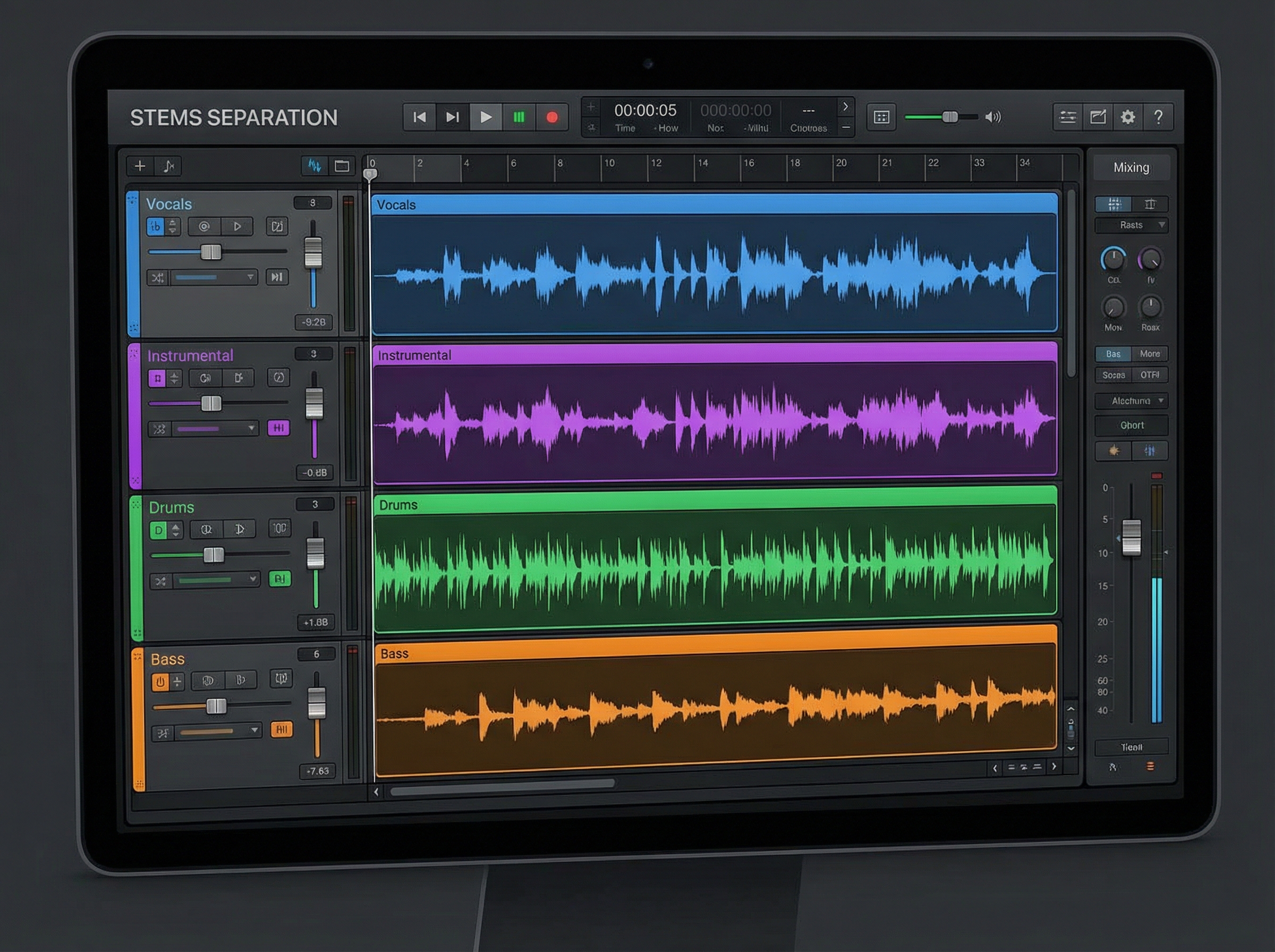
Stems are separate audio parts derived from a mixed song. Two-track separation creates vocals and instrumental, which is usually enough for karaoke, vocal practice, or a narration-friendly music bed. Multi-track separation can provide vocals, drums, bass, and other for deeper DAW editing, remixing, sampling, arrangement study, and production practice. Apple’s Logic Pro Stem Splitter guide shows how individual parts can be soloed and edited after extraction.
In AI Vocal Remover, upload MP3, WAV, FLAC, M4A, OGG, or AAC, choose two-track or multi-track separation, preview every result, then export only the useful stems. Multi-track access depends on a supported plan; fixed credit prices are intentionally not listed here.
| Choice | What you get | Best for | Quality check |
|---|---|---|---|
| MP3 | Small, lossy full mix | Previews and quick sharing | Listen for swirls around cymbals and vocals |
| WAV | Larger lossless full mix | DAW editing, archive, handoff | Confirm sample rate and no clipping |
| Two-track stems | Vocals + instrumental | Karaoke, covers, voiceover beds | Check vocal bleed in the instrumental |
| Multi-track stems | Vocals, drums, bass, other | Remixing, sampling, detailed mixing | Solo every track and inspect transitions |
WAV or FLAC usually gives a separator more intact audio information than a low-bitrate MP3. Ableton’s supported-format notes distinguish lossless WAV/FLAC from lossy MP3/AAC sources. A lossless file cannot repair damage already introduced by an earlier compressed export, so start from the cleanest original available.
No separator is perfect. Overlapping vocals, vocal doubles, dense reverb, distorted guitars, and low-bitrate compression can leave metallic tails, missing transients, or instrument bleed. Preview exposed intros and quiet endings as well as the loud chorus; artifacts often hide in a full mix but become obvious when a stem is soloed.
Stem separation also does not transfer copyright. Extracting a vocal or drum part from somebody else’s recording does not grant permission to publish, sample, or sell it. The U.S. Copyright Office’s musician guidance separates rights in the musical work and sound recording and recommends permission, licensing, public-domain material, or a valid legal exception when reusing existing music.
Step 7: Export for the Next Destination
Export MP3 for review links, social drafts, and lightweight delivery. Export WAV when another producer will mix, master, archive, or import the song into a DAW. Before release, play the whole file once, confirm the beginning and ending are not clipped, check metadata, and save the prompt, lyrics, selected versions, and edits as a basic creative record.
Review the license attached to the plan used for generation and the rules of the destination platform. YouTube explains when realistic altered or synthetic content needs an AI disclosure; other services may use different policies.
Common AI Music Mistakes
- Prompting with adjectives only: add tempo, instrumentation, structure, voice, and purpose.
- Keeping the first lyric draft: read it aloud and remove filler before generating vocals.
- Rerolling randomly: revise one variable and compare the same chorus each time.
- Extending too early: approve the hook, vocals, and arrangement before adding length.
- Skipping stem previews: solo each file and listen for bleed, missing attacks, and reverb tails.
- Assuming extraction grants rights: verify ownership or permission before publishing reused material.
Frequently Asked Questions
How to make AI songs that sound consistent?
Keep one written brief, change a single variable per generation, and judge every version against the same chorus checklist. Consistency comes from controlled decisions, not the number of rerolls.
How to make an AI song from finished lyrics?
Use Lyrics to Song, preserve your section labels, choose a voice and style, then fix crowded lines before extending or separating the result.
Make Your First Finished AI Song
The reliable path is simple: prompt, lyrics, song, vocals, extend, stems, export. Start with AI Song Maker, keep the version that best matches the brief, and do not move forward until the current stage passes its quality check.
Table of Contents
Author

Categories
Tags
More Posts

How to Turn Lyrics into a Song with AI (+ 12 Style Templates)
Learn how to transform your lyrics into a complete song using AI music generation, plus 12 copy-paste style templates for different genres.

How to Make a Rap Song: History, Structure & AI Guide
Learn how to make a rap song from scratch — covering rap history, beat structure, music theory, and how to use AI to generate your own rap tracks instantly.

How to Create Songs Online: Step-by-Step Guide for Beginners (2026)
Learn how to create songs online step by step. This beginner guide covers lyrics, music styles, AI vocals, and free tools to make your first song today.
Newsletter
Join the community
Subscribe to our newsletter for the latest news and updates